● Free on iPhone and Android · no account
Perfect pose ideas.
Anywhere.
You found the spot. Then your arms forgot what arms do. Snap the place you are standing in and SnapPose returns poses from real photographs shot somewhere like it — matched to your light, your background, your mood.
Three ways to search / Real photographs only / Three free searches a day
Pose ideas
1000+
AI-made bodies
Zero
SnapPose is a free iPhone and Android app that turns any location into ready-to-use pose ideas. Snap a photo of your scene and its AI reads the setting to match poses from real photos — no account needed. Built for solo photographers, content creators, camera-shy people, and travellers.
Three ways in
Pose ideas that start with your location.
A pose gallery hands you the same four hundred photographs regardless of where you are. SnapPose works the other way round — the location comes first, and the poses answer to it. Three ways to give it one, all on the first screen.
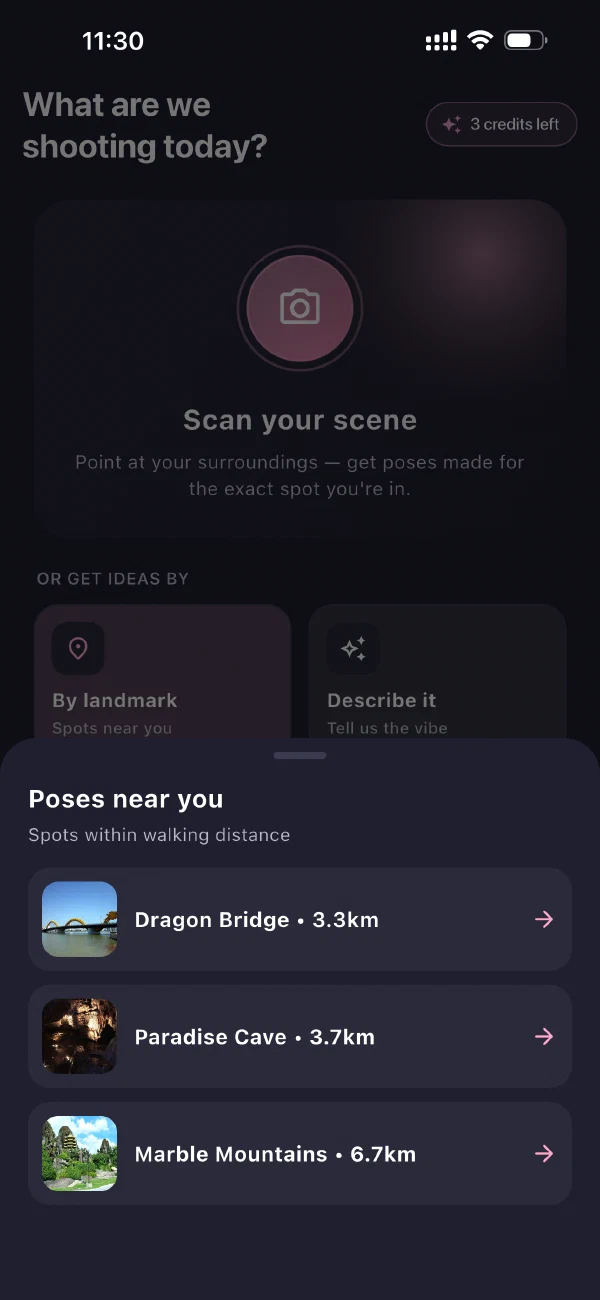
01 Scan your scene
Point the camera at the place, not at yourself.
SnapPose reads the light, the background and the mood — a low sun over water is a different brief from a corner table at noon — and returns poses shot in comparable conditions. Poses made for the exact spot you are in.
02 By landmark
It already knows the spots around you.
Open it anywhere and SnapPose lists the places worth shooting within walking distance, with the distance to each one, and the poses people have actually taken there.
03 Describe it
Or just tell it the vibe.
No camera needed. Write the shot you already see — a lake at golden hour, a rooftop at night — and SnapPose matches it word for word. Useful the night before, when the location is still an idea.
New · Pose outline camera
How to copy a pose
without guessing.
Knowing which pose you want is only half of it. The other half is getting your own body into it, from behind the camera, with nobody watching to tell you the shoulder is wrong. SnapPose draws the pose straight onto your camera feed and you step into it.
- 1
Pick a pose
Choose one from the poses matched to your scene and tap Try This Pose.
- 2
Step into the outline
That pose is traced onto your live camera. Move until your body fits the line — adjust its size, flip it, fade it.
- 3
Take the shot
You already know the frame is right. One photo instead of forty and a hope.
The part nobody else will promise
Real pose photos.
Not AI fakes.
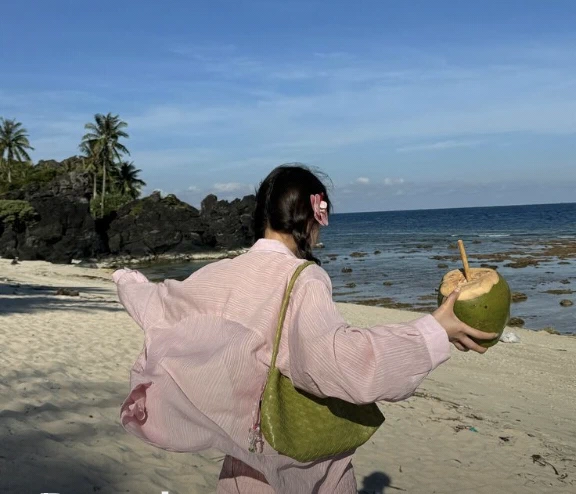
SnapPose runs AI on your scene, never on a body. Every reference you copy is a photograph a real person held for a real camera — which is why the hands hold things, the weight sits on one leg, and the anatomy works when you try it.
A generated pose can look fine and still be one you physically cannot hold. That is not a reference. It is a drawing of one.
Try this pose
Sends that exact reference to the outline camera, traced over your own view.
Explore similar
One tap returns more poses with the same framing, energy, and light.
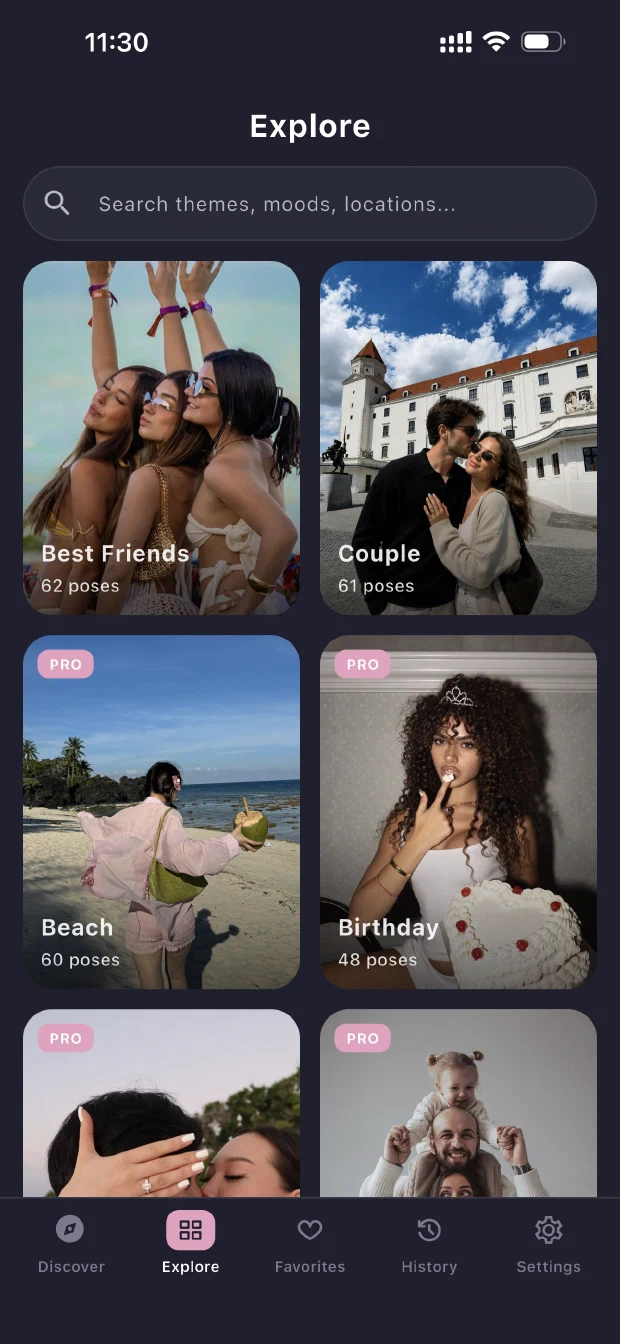
Curated collections
Pose ideas by occasion —
wedding to graduation.
Hundreds of poses already sorted by the moment you are shooting — handpicked, not scraped. Good for planning at home the week before, when there is no location to photograph yet.
Browse them in the app →Who it is for
How to pose for pictures
when nobody is directing you.
Solo travellers
Nobody to direct you and a tripod that will not answer questions. Decide the pose before you set the timer, and the ten-second walk back stops being a panic.
Content creators
Plan a shoot the night before by describing it, save the set, then work down the list on location instead of inventing frames on the spot.
People who freeze
"Just pose" is not an instruction. An outline you can physically step into is. Most of the awkwardness is not knowing what to do, not being bad at it.
Couples and families
The stiff photographs are the ones where everybody stood still and faced the lens. Shared actions read as real — and both people can see the reference first.
No paywall in the way
Free to download.
No account, ever.
No email, no credit card, nothing to create before the app will show you anything. Install it and search the same day. Unlimited searches are an optional upgrade you never have to take — the FAQ has the numbers.
$0
To install, on both stores
- Searches a day
- Three, free
- To sign up
- Nothing
Guides
Posing guides to read before you shoot.
4 articles
Temple Photo Poses: How to Pose in a Sacred Space
The temple sets the rules — covered, barefoot, facing the shrine. Poses that work inside them.
Read →Why You Look Bad in Photos but Fine in the Mirror
The mirror is flipped, the lens is too close, and the frame is frozen — four fixable reasons, not a face problem.
Read →Best Photo Pose App: 5 Checks Before You Install
Five checks that separate a pose app you keep from one you delete after a week.
Read →Scene Poses: How to Match a Pose to Your Scene
Start from the location, not a pose list — read the light, the depth, and the surfaces.
Read →Questions
Pose app questions,
answered.
What SnapPose does, what it costs, and what it will not do.
Is there an app that tells you how to pose for pictures?
Yes. SnapPose is a free AI pose suggestion app for iPhone and Android that tells you how to pose for pictures based on where you are standing. Photograph the location, its AI reads the scene, and it returns pose ideas from real photographs shot in comparable places. That is how you get pose ideas for a specific location rather than a generic list. No account, no sign-up.
Is there an app that shows a pose outline on your camera?
Yes. SnapPose has a Pose Outline Camera: open any pose, tap Try This Pose, and a silhouette of it lays over your live camera feed. You move until your body fits the outline, then shoot — instead of holding a reference photo in one hand and guessing what the elbow was doing.
Can I get pose ideas without taking a photo?
Yes. Describe the shot instead — type something like woman by the lake at sunset or city rooftop at night, candid — and SnapPose matches poses to the description word for word. Useful the night before a shoot, when the location is still only an idea.
Does SnapPose recognise famous landmarks?
Yes. Point it at Big Ben, the Trevi Fountain or the steps at Santorini and SnapPose identifies the landmark automatically, then surfaces the poses people have actually shot there. It also shows how far away the landmark is, so you know where to stand.
Are there pose collections for weddings, graduations and maternity shoots?
Yes. SnapPose has curated collections for wedding, couple, engagement, family, graduation and maternity shoots, plus themes like nature and sport. They are handpicked rather than scraped, and they work without a location photo. Tap Find Similar on any pose to pull more with the same framing and mood.
Is SnapPose free?
Yes, to download and to use every day. SnapPose costs nothing to install on either store and gives you three scene searches a day with no account, no email and no credit card. The pose outline camera, landmark detection and saving to your camera roll are all in the free tier. If you want more than three searches a day, unlimited is an optional $9.99 a month or $39.99 a year — you never have to take it.
What does SnapPose use AI for?
For reading your scene, and nothing else. The AI looks at the photo you give it — the light, the background, the surfaces, the landmark if there is one — and uses that to pick matching poses. It never draws a body. Every reference it returns is a photograph a real person was in, which is why the pose is one you can physically hold.
Never freeze on
camera again.
Snap the place. Pick the pose. Step into the outline. The whole thing takes less time than deciding where to put your hands.
Free to download · no account · three free searches a day